When you first run Ovum on a herd, the most common question is: how long before the predictions are actually useful? The honest answer is three to four weeks per cow, depending on how much cycle history you can load into the system on day one. That waiting period is not a limitation we apologise for. A breeding window prediction firing after 48 hours of collar data would be noise, not insight. The model needs to observe each cow's own oestrus cycle pattern before it can say with confidence when she'll next come into heat and what her activity signature looks like versus normal daily movement. Here is a walkthrough of how the setup works, what happens during that baseline period, and what to do once alerts start arriving.
What Your Collars Are Transmitting
Ovum works with 3-axis accelerometer collars measuring head movement, pedometer step counts, and rumination vibration signals across 15-minute intervals. Each collar transmits to a base station installed in your dairy shed or near your main yard gate, which then relays data to the Ovum platform over your farm's internet connection. The hardware setup wizard in the app walks you through entering WiFi credentials and confirming the base station's coverage reaches your dairy footprint.
For most farms with twice-daily milking, a single base station handles herds up to around 400 animals, because all cows pass through the shed twice a day and data sync happens during those passes. If you run a robotic milking system with irregular traffic, you may need to place the base station closer to the robot entry point to ensure consistent data collection. Most major Australian collar brands connect via direct API. If yours arrived through a hardware provider we have not yet integrated, the CSV relay option in settings covers that path.
Assigning Collars and Importing Your Herd List
After the base station comes online, collars within range appear as hardware IDs in the Unassigned Collars panel. Linking each ID to a named cow is the next step. If you manage records in DairyComp 305 or export from another platform as CSV, you can batch-import your cow list and map tag numbers in one go. For a 200-cow herd, batch import typically takes about five minutes versus 20 to 25 minutes for manual entry.
During this import step, do not skip the cycle history tab for each cow. If you have prior A.I. attempt dates, observed heat dates, or calving dates, enter them here. Even two reference dates per cow shortens the baseline period meaningfully. The model uses those historical intervals to estimate where a cow currently sits in her cycle, allowing it to generate a calibrated prediction from the first confirmed oestrus it observes rather than waiting for a second one. Farms that arrive with two or more seasons of paper records and take the time to enter them typically see useful predictions two to three weeks earlier than farms starting cold.
The Baseline Period: What the System Is Learning
Once collars are assigned, each cow enters "Baseline" status on the dashboard. The system records her raw activity data but does not fire breeding window alerts yet. What it is building during this phase is an individual threshold for her oestrus activity signature.
The reason this has to be per-cow rather than population-level is straightforward. Some Holsteins show a clear three to four times elevation in their 15-minute activity counts at peak standing heat. Others show a more modest 1.5 to 2 times increase. Apply a population mean threshold to a low-expressor cow and you miss her heats. Apply a low threshold to a high-expressor and you generate false alerts that send your A.I. technician to cows not in heat. The model needs to see each individual cow's signal at least once before it can set a threshold that is accurate for her specifically.
During the baseline period, you can still see raw activity spikes on each cow's data page. These are informative even before formal alerts fire. If you see a clear peak and observe the cow in the paddock at that time, recording a confirmed heat manually will accelerate the model's calibration for that animal.
Reading Your First Breeding Window Prediction
When a cow transitions to Active status, her card changes colour and a predicted breeding window appears: a 12-hour range expressed as a date and time block. This window is timed to represent the optimal period for A.I. based on when sperm deposited in the reproductive tract will encounter a recently released ovum. The biological window in cattle is narrow, which is why the 12-hour framing is tight rather than permissive.
Each prediction carries a confidence tag, either low, medium, or high. The first time the system predicts a cow's window after baseline, it will typically show medium confidence. That confidence moves to high after you record outcomes from one or two A.I. attempts for that cow. Whether she returns to heat 21 days later (indicating a non-conception) or scans in-calf at the next preg check, those outcomes feed directly back into her model and narrow the window for her next cycle.
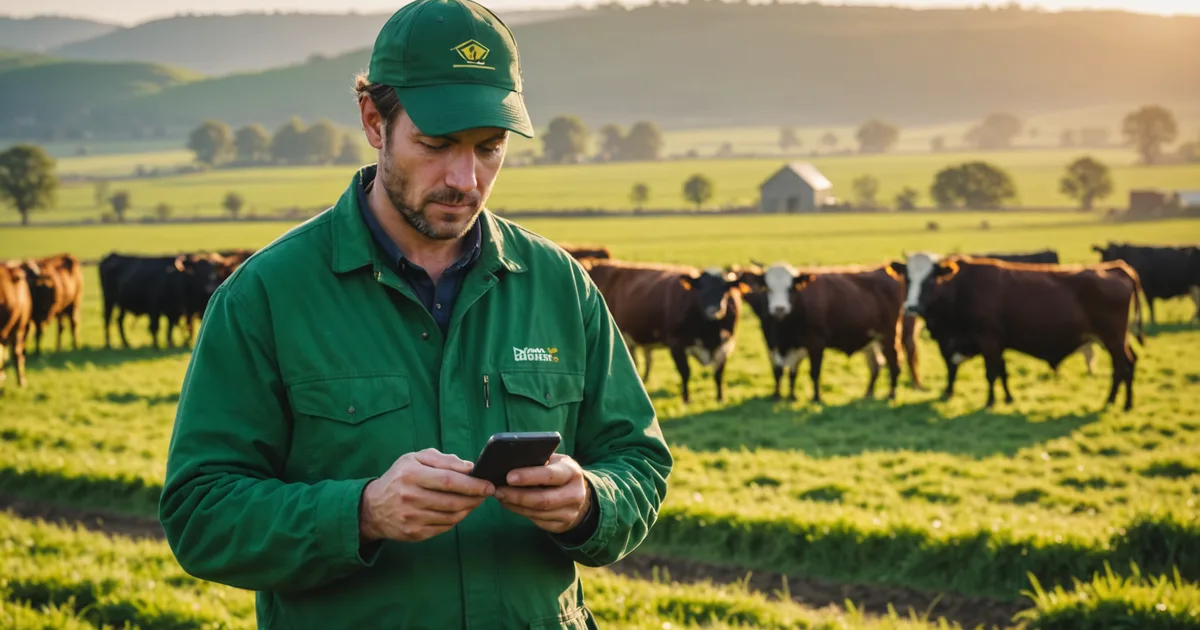
You will also receive a push notification on your phone approximately six hours before the predicted window opens. That lead time was chosen based on feedback from producers about how far in advance they need to book their A.I. technician. For farms with an on-call technician, six hours is enough. For farms booking through a regional service, you may want to look at the 24-hour advance indicators that appear on each cow's profile once the model identifies she is approaching the pre-oestrus phase.
When an Alert Does Not Match What You See in the Paddock
Discrepancies will happen, particularly in the first season. Here are the situations we see most often.
A cow generates an alert but shows no visible signs. This is common with cows in their first post-voluntary waiting period oestrus cycle. First post-VWP cycles in dairy cows are frequently silent or short in expression. The activity signal may be detectable by the collar even when standing heat is not visible to an observer. If a cow consistently alerts without visible signs across multiple cycles, that pattern itself is informative: she is likely a low-expressor, and she is exactly the type that visual-only detection systems miss entirely.
A cow is in clear standing heat but no alert fired. If this happens during hot weather, particularly through December to February in northern Victoria or the Murray-Darling dairy region, the standing heat duration may have compressed into a three to five hour window. Heat load suppresses oestrus duration. The activity surge is still present but shorter and sometimes lower amplitude. The model adjusts for this as it accumulates summer data for each cow, but in the first summer season, some missed detections are expected. Record these manually when you observe them; those records improve the model's seasonal calibration for the following year.
The point we want to be clear on: Ovum's alerts are designed to work alongside your paddock observation, not replace it. An alert tells you which cows to watch closely that evening. Your eyes in the paddock close the loop. Farms that treat alerts as a shortlist for observation, rather than as a hands-off automated system, consistently get better results in the first season.
Building Accuracy Over Consecutive Joining Seasons
The biggest improvement in prediction accuracy happens between joining season one and joining season two. By the end of the second mating period, each cow in the system will have cycle data across different seasons, different body condition states post-calving, and different lactation stages. At that point, the model is genuinely individual rather than generalised.
The habit that drives this compounding is outcome recording. After every A.I. attempt, log the date and the result. After every preg check, update each cow's status. These two steps, taking about two minutes per cow per event, are what separate a system that gets more accurate over time from one that plateaus after its first season. For a 120-cow herd going into a second joining with a full year of outcome records, the shift in prediction confidence and window precision is noticeable. That is the actual return on the setup work you put in now.